IMAGE COMPRESSION · WINDOWS · FREE
Lossless compression for industrial images, one right-click away.
The BMP, TIFF and RAW files your production line saves get compressed as images, usually far smaller than ZIP. Right-click a folder to pack it, right-click to unpack. Extracted files are byte-for-byte identical to the originals, and every file is checked with SHA-256.
Free · Works offline · Installs without admin rights
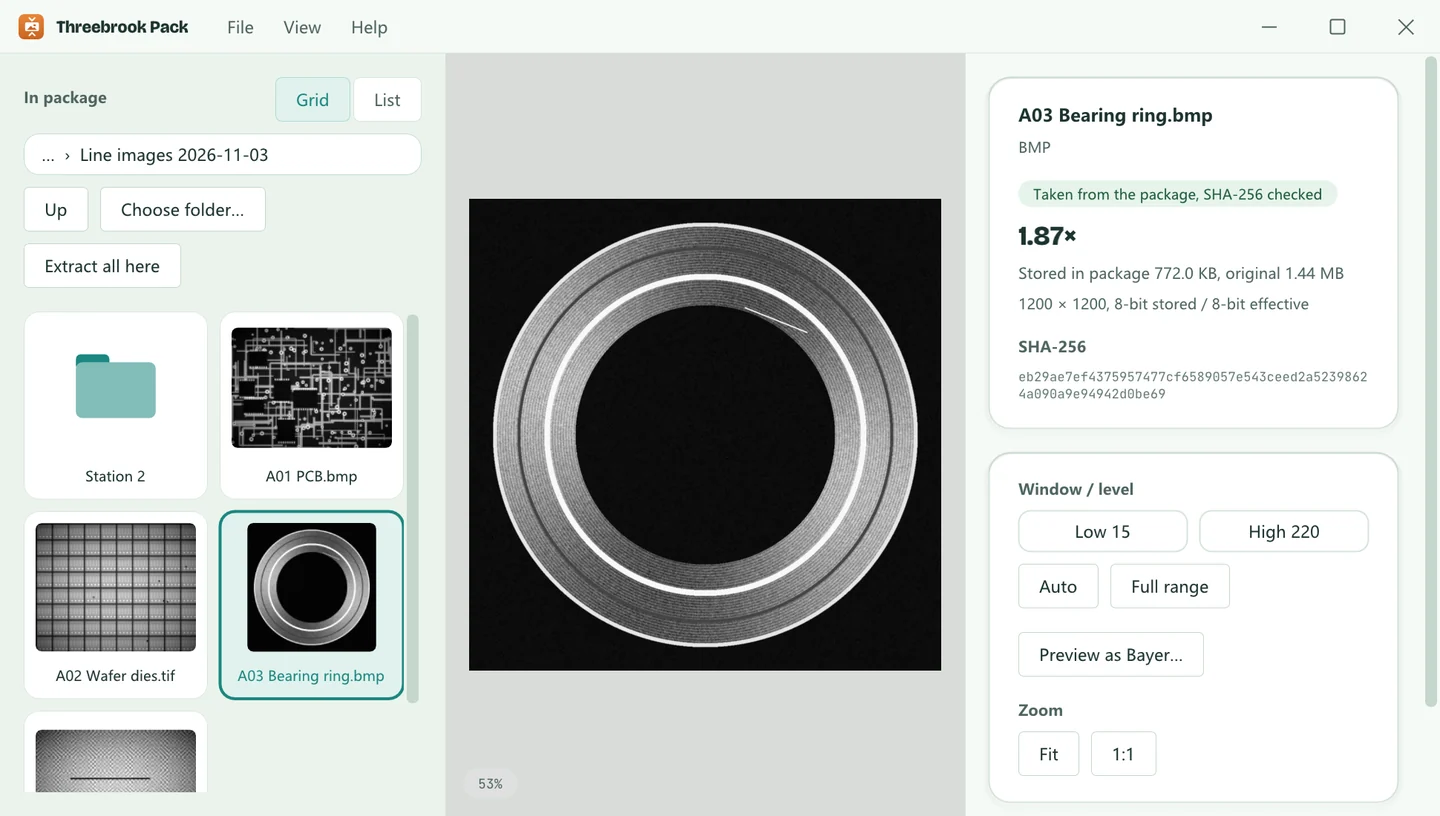
HOW IT WORKS
Just like ZIP, nothing to learn
Once installed, Threebrook Pack adds a few items to File Explorer’s right-click menu. No need to open the app, and nothing to change on your production line.
01 · RIGHT-CLICK
A folder becomes one package
Right-click a folder to pack it, subfolders and all, into one .iisz package. Right-click a single BMP, TIFF or RAW to compress it to a .iis. You can select several at once.
02 · CONFIRM
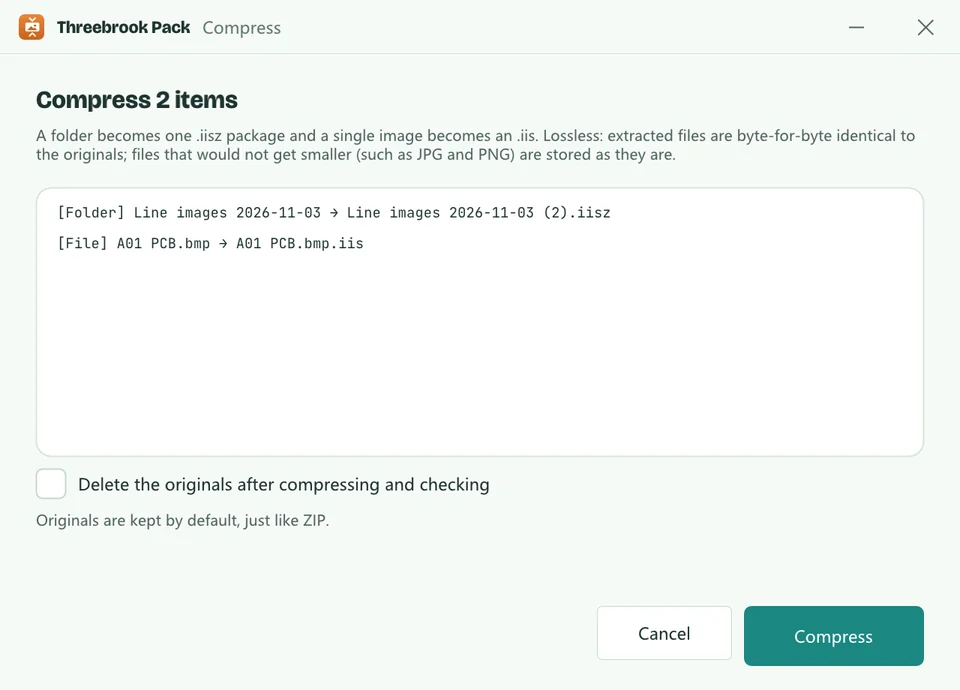
See what you’ll get
Before compressing, it lists what each item will become. Originals are kept by default. To save space, tick “Delete the originals after compressing and checking”: they go only once the package is written and every file checks out.
03 · EXTRACT
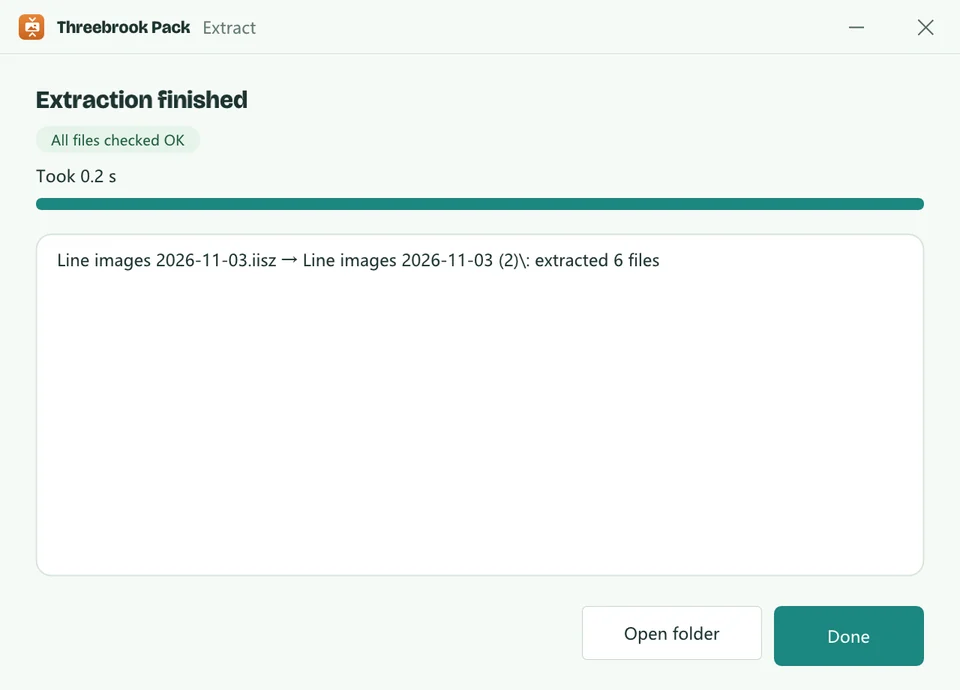
Right-click to restore
Right-click a .iisz or .iis and choose Extract here. You get exactly the files you started with, modification times included; existing files are never overwritten.
LOSSLESS
Not a single byte different
Pixel-lossless isn’t enough. File headers, palettes, TIFF tags and the padding at the end of each row are all kept exactly as they were. Extracted files are byte-for-byte identical with matching SHA-256, ready to re-run your inspection algorithms or hand to an auditor.
Checked before it’s saved
Every compressed file is decoded again and compared by SHA-256 before it goes into the package. If it doesn’t match, the original is stored as it is.
Checked again on extract
Each file is checked again when extracted. On a mismatch you get an error, and no half-written file is left behind.
Never makes files bigger
Already-compressed files such as JPG and PNG go into the package as they are.
Never overwrites
If a package name is taken you get “name (2).iisz”, and extracting into an existing folder name starts a new one, so nothing gets mixed up.
Images are coded with ISO-standard JPEG-LS lossless coding using integer arithmetic only, so they decode the same on any computer.
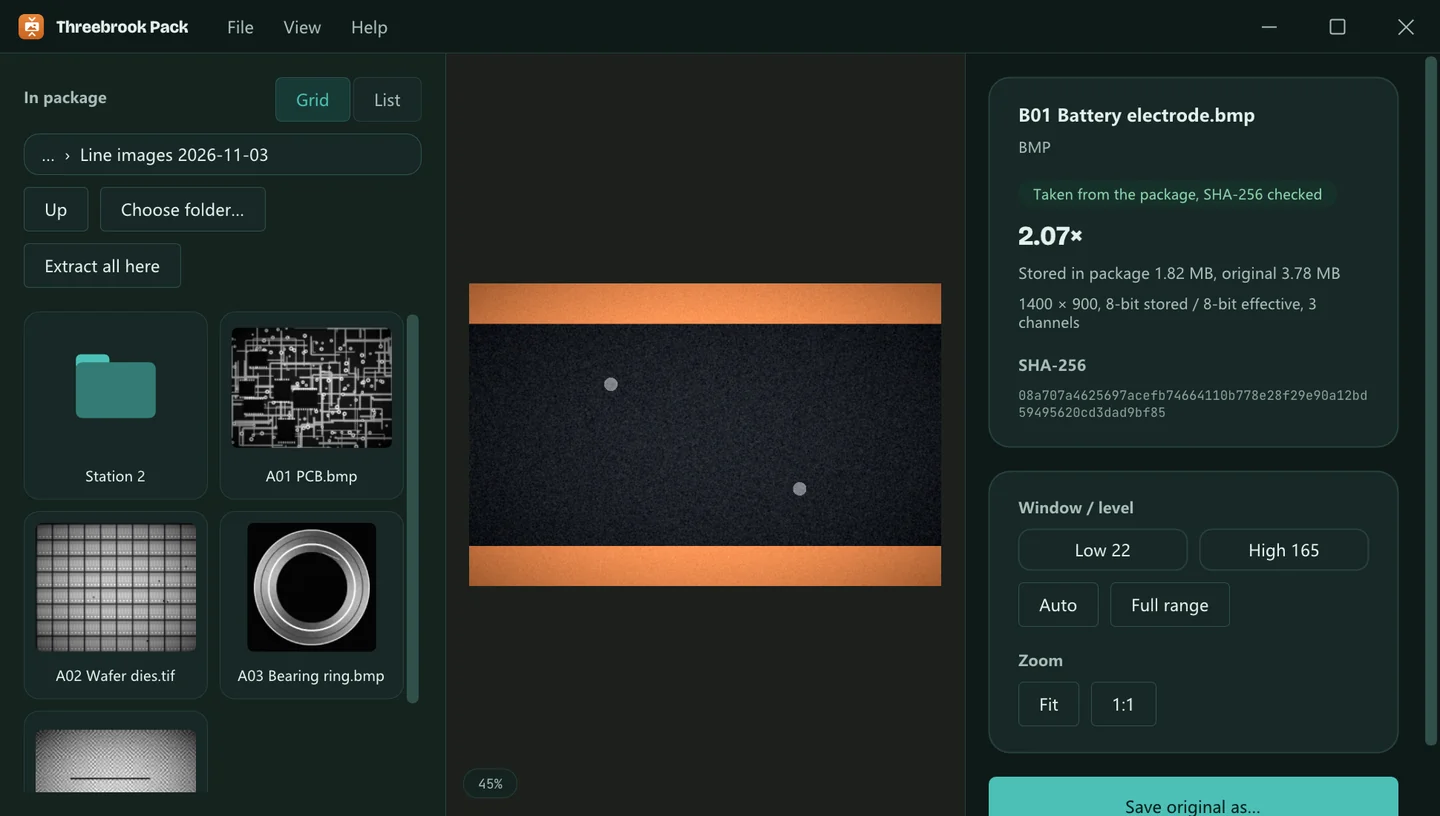
VIEWER
Look without extracting
- Double-click a .iisz to browse it like a folder and click an image to view it; save just the one you need as the original file.
- Thumbnails in File Explorer: a .iis shows the picture itself, a .iisz a mosaic of its first four images.
- 16-bit images get window/level controls, and Bayer raw images can be previewed in colour.
- It opens ordinary BMP, TIFF, RAW, PNG and JPEG files too, with zoom and pixel readouts.
FORMATS
Formats are read from the content, not the extension
Threebrook Pack reads headers and key fields to work out the format, bit depth and layout. What it recognises is compressed as an image; anything else is compressed as a whole file or stored as it is. Either way it restores byte for byte.
| Format | What’s supported |
|---|---|
| BMP | 8-bit greyscale (with palette), 24-bit, 32-bit |
| TIFF | Uncompressed single and multi-page, strips and tiles, 8, 12 and 16-bit, both byte orders, BigTIFF. LZW or ZIP-compressed TIFFs are compressed as images only when they can be reproduced byte for byte |
| RAW | Pixel data straight from the camera: Mono8, 10, 12 and 16, plus the packed Mono10p, Mono12p and Mono12Packed. Width, height and pixel format are detected even without a header; a .json parameter file with the same name takes precedence |
| Bayer | Bayer raw images as separate RAW files or saved as greyscale BMP or TIFF, detected and compressed per colour channel |
| Other files | JPG, PNG, documents and other files that won’t shrink are stored as they are; other data is compressed whole with zstd |
How much smaller depends on the images: clean, smooth images shrink more, noisy ones less. Rather than quote a flattering number, we suggest trying it on your own images; the window shows the actual ratio when it’s done.
PEACE OF MIND
No lock-in, easy to deploy
Open formats
- A .iisz is a standard ZIP (stored, not compressed); any unzip tool can open it and list what’s inside.
- Images inside use ISO-standard JPEG-LS coding, not a private format.
- It comes with the open-source decoder iis-decode (BSD-3-Clause), which you can copy to another computer to restore .iis files to the originals.
- Uninstalling removes only the program and menus, never your images or packages.
Command line and deployment
Once installed, iis-cli works in any Command Prompt, ready for batch files and scheduled tasks:
iis-cli pack D:\Images\Batch1          pack to Batch1.iisz
iis-cli unpack D:\Images\Batch1.iisz   extract next to it
iis-cli verify Batch1.iisz --deep      full check, writes nothing
The installer is an MSI. Double-clicking installs it for the current user with no admin prompt; msiexec /qn ALLUSERS=1 installs it silently for the whole machine. See Help.
PRIVACY
Your images stay on your computer
Production images are often a customer’s confidential data. Threebrook Pack runs entirely on your computer: compressing, extracting and viewing need no network at all.
No update checks, no analytics, no uploads. It works the same on an offline line PC.
It doesn’t scan your disks or run in the background; it handles only what you right-click.
Originals are deleted only if you ask, after the package is written and checked; read-only or in-use files are left alone.
No settings, history or logs. Uninstalling removes the program and menus and leaves your files alone.
No account, no analytics, no ads. See the privacy policy.

Try it on a folder
Free · Windows 10 / 11, 64-bit · About 5 MB · Installs without admin rights